

Gaming has always been about pushing boundaries, and modding has always been the community’s way of pushing them further. Today, a new wave of creativity is changing how we play: AI mods for games. From characters that hold real conversations to enemies that learn your tactics, artificial intelligence is turning familiar worlds into living, reactive experiences.
If you have ever wished your favorite game felt fresher, looked sharper, or responded more intelligently, AI mods may be exactly what you are looking for. In this guide, you will learn what AI mods are, how they work, the main types available, their benefits and risks, and how to use them safely. Whether you are a casual player or a seasoned modder, this article will help you get the most from this fast-growing trend.
What Are AI Mods for Games?
A mod, short for modification, is a player-made change that alters or expands a game. Traditional mods add new items, maps, characters, or visual tweaks. AI mods for games go a step further by adding artificial intelligence to the experience.
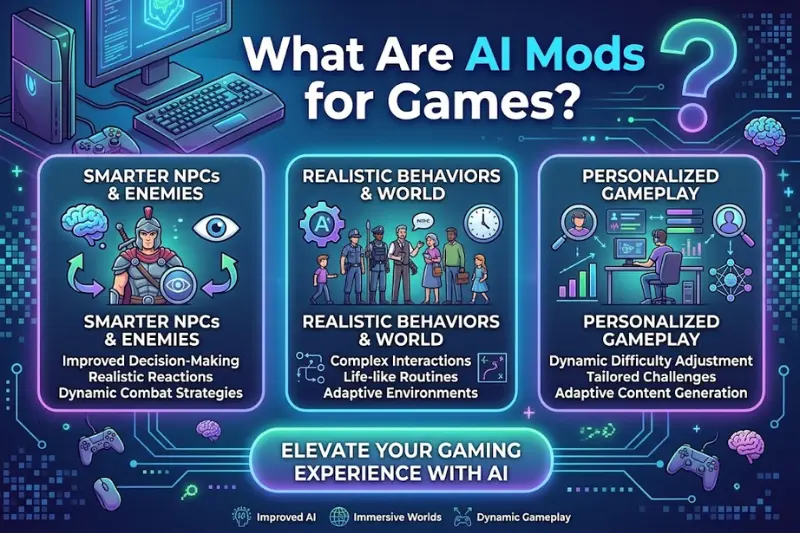
Instead of following fixed scripts, a game with an AI mod can generate dialogue, adapt difficulty, upscale textures, or control characters in more believable ways. The game feels less like a pre-recorded performance and more like a world that reacts to you.
AI mods usually fall into two broad groups:
- Gameplay AI mods, which change how characters, enemies, and systems behave.
- Technical AI mods, which improve visuals, audio, and performance using machine learning.
Both groups share the same goal: making games more immersive, more replayable, and more personal.
Why AI Mods Are Becoming So Popular
Several trends have pushed AI modding into the spotlight.
Better tools. Machine learning tools are now easier to access than ever. Modders no longer need a research lab to build something impressive; a small team or even a single creator can produce remarkable results.
Player demand for freshness. Many players finish a game and want more. AI mods extend the life of a title by making every playthrough feel different.
Stronger hardware. Modern graphics cards and processors can run AI models locally, which makes real-time features such as smart dialogue and image upscaling realistic for everyday players.
A creative community. Modding communities thrive on experimentation. As soon as a new AI technique appears, creators start testing it inside their favorite games.
How Do AI Mods Work?
Understanding the basics helps you choose and use AI mods wisely. Most of them work in one of three ways.
1. Local AI Models
Some mods run a small AI model directly on your computer. This keeps everything on your machine, reduces delay, and works without an internet connection. The trade-off is that it needs a capable processor or graphics card.
2. Cloud-Connected AI
Other mods send information to an online AI service and receive a response. This allows more advanced behavior, such as natural conversation, without heavy hardware. However, it requires a stable internet connection and may involve privacy considerations or usage costs.
3. Pre-Trained Enhancement Tools
Visual and audio mods often use AI that was trained beforehand. For example, a model trained on thousands of images can sharpen an old, blurry texture and return a cleaner, higher-resolution version. Once the work is done, the improved file simply replaces the original.
In every case, the mod acts as a bridge between the game’s data and the AI system, translating what is happening in the game into something the AI can understand, and then feeding the result back.
Main Types of AI Mods for Games
The range of AI mods keeps growing. Here are the most common categories you will come across.
AI-Powered NPC Dialogue
One of the most exciting categories is conversational AI for non-player characters. Instead of choosing from a short list of fixed replies, you can talk to characters in your own words and receive responses that fit their personality, story, and surroundings.
This changes role-playing games dramatically. A shopkeeper can remember what you said earlier. A companion can comment on your choices. A villager can react differently depending on your reputation. The result is a world that feels populated by individuals rather than dialogue menus.
Smarter Enemy and Companion Behavior
Predictable enemies become boring quickly. Behavior-focused AI mods make opponents flank you, use cover, change tactics, and respond to your habits. On the friendly side, companion AI mods help allies make better decisions, support you more effectively, and avoid the frustrating mistakes that break immersion.
These mods are especially popular in strategy, shooter, and survival titles, where challenge and tactical depth matter most.
AI Texture and Graphics Upscaling
Older games often struggle on modern high-resolution screens. AI upscaling mods analyze low-resolution textures and rebuild them with finer detail, cleaner edges, and reduced blur. A classic title can suddenly look polished enough to sit beside modern releases.
Similar techniques can improve lighting, reduce noise, and smooth jagged edges, giving a game a visual refresh without changing its original art direction.
Frame Generation and Performance Boosters
Some AI mods create extra frames between the ones your hardware renders, making motion look smoother. Others help lower the cost of demanding effects so that players with mid-range systems can enjoy higher frame rates. When used correctly, these tools can make a noticeable difference in how responsive a game feels.
AI Voice and Audio Mods
Voice-focused mods can generate speech for characters, add voiced lines to previously silent dialogue, or clean up old audio recordings. They are particularly useful for custom story mods, where recording professional voice acting would otherwise be difficult.
Procedural Content and Quest Generators
Procedural AI mods can create new quests, items, locations, and events on the fly. Instead of replaying the same missions, you get fresh challenges that match your level and play style. This keeps long-running games exciting for far longer than their original content would allow.
Adaptive Difficulty Mods
Not every player wants the same challenge. Adaptive difficulty mods monitor how you play and adjust enemy strength, resource availability, or puzzle complexity. If you are struggling, the game eases up. If you are breezing through, it pushes back.
Key Benefits of Using AI Mods for Games
Why should you bother with AI mods at all? Here are the biggest advantages.
- Deeper immersion. Characters that respond naturally and worlds that react to your choices make you feel part of the story rather than an observer.
- Greater replay value. Because AI can produce different outcomes each time, no two playthroughs have to look the same.
- Improved visuals. Upscaled textures and cleaner graphics breathe new life into older titles.
- Better performance. Smart optimization tools can help weaker systems run demanding games more smoothly.
- Personalized experiences. Adaptive systems tailor challenge and content to your own style.
- Accessibility. Features such as generated voice, text assistance, and adjustable difficulty can make games easier to enjoy for a wider range of players.
How to Install AI Mods Safely: Step by Step
Installing mods is usually simple, but a careful approach protects your games and your computer.
Step 1: Check Compatibility
Before downloading anything, confirm that the mod supports your exact game version and platform. Mods built for an older or newer update can cause crashes or corrupted saves.
Step 2: Review Your Hardware
AI features can be demanding. Look at the minimum and recommended specifications, especially graphics memory and processor requirements, and be honest about whether your system can handle them.
Step 3: Back Up Your Saves and Game Files
This is the most important habit in modding. Copy your save files and any original files the mod will replace. If something goes wrong, you can restore everything in minutes.
Step 4: Read the Instructions Carefully
Creators usually explain which tools are needed, where files should be placed, and which settings to adjust. Skipping this step is the most common reason installations fail.
Step 5: Install One Mod at a Time
Adding several mods together makes it hard to find the cause of a problem. Install one, test the game, and only then add the next.
Step 6: Test and Adjust Settings
Launch the game and check performance, stability, and behavior. Many AI mods include settings for response speed, quality, or resource usage. Tweak them until you find the right balance.
Step 7: Keep Everything Updated
Game patches can break mods. Follow the creator’s updates and re-check compatibility whenever your game updates.
Risks and Safety Tips You Should Know
AI mods are exciting, but they are not risk-free. Keep these points in mind.
Malware risk. Files from unreliable sources can contain harmful software. Download only from well-known, reputable modding communities, read user feedback, and scan every file before opening it.
Privacy concerns. Cloud-connected mods may send text, voice, or gameplay data to outside services. Check what information is shared and avoid entering personal details.
Online game rules. Many multiplayer games prohibit mods that change gameplay. Using them online can lead to warnings or account bans. Keep AI mods for single-player experiences unless the game clearly allows them.
Stability issues. AI features can strain your system and cause crashes, stutters, or overheating. Monitor performance, and lower settings if needed.
Content quality. Generated dialogue and content can occasionally be odd, repetitive, or inappropriate. Choose mods that include filters and settings you can control.
Respect for creators. Always follow a mod’s terms and give credit where it is due. Avoid re-uploading other people’s work without permission.
Tips to Get the Best Results From AI Mods
- Start small. Try one simple mod first to understand how the process works.
- Match mods to your hardware. A lighter mod that runs smoothly beats a powerful one that makes your game lag.
- Read community feedback. Other players often share fixes, ideal settings, and warnings.
- Keep a mod list. Write down what you installed and when. It makes troubleshooting much easier.
- Update your drivers. Current graphics drivers help AI-based features run more reliably.
- Be patient. AI mods are a young field, and rough edges are normal. Many improve quickly as creators gather feedback.
The Future of AI Mods for Games
AI modding is still in its early chapters, and the road ahead looks exciting.
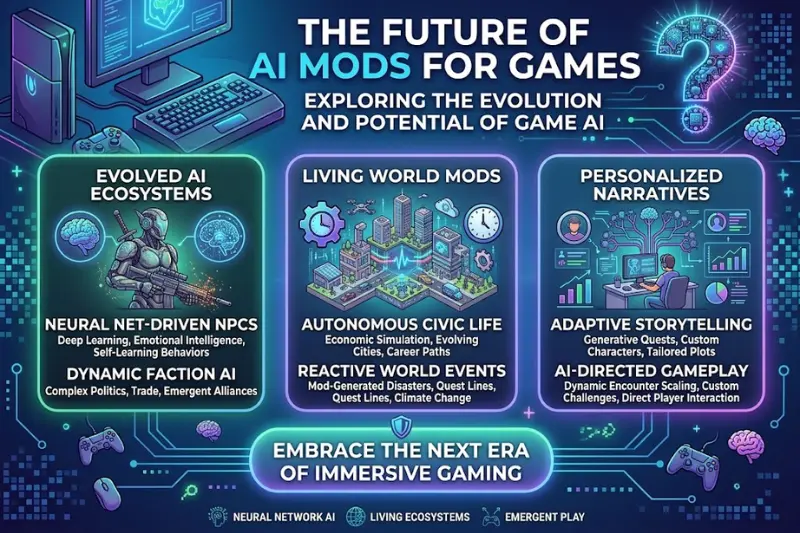
Expect characters with long-term memory, capable of remembering your actions across an entire campaign. Expect fully generated side stories shaped around your decisions. Expect smarter tools that let people with no coding experience create mods by simply describing their ideas.
Game developers are also paying attention. Many studios are exploring official support for AI-driven features and mod-friendly tools, which could make the experience safer, more stable, and more accessible.
At the same time, important questions remain around ownership, fairness to voice actors and artists, and responsible use. The healthiest future is one where creativity, consent, and transparency go hand in hand.
Frequently Asked Questions
What are AI mods for games?
AI mods for games are player-made modifications that add artificial intelligence to a game. They can create smarter characters, generate dialogue, upscale visuals, improve performance, or produce new content.
Are AI mods safe to use?
They can be safe when you download from trusted communities, scan files, back up your saves, and read feedback before installing. Be careful with mods that request personal information or send data online.
Do AI mods need a powerful computer?
It depends on the mod. Cloud-based mods need less hardware but require internet. Local AI mods usually need a strong graphics card and plenty of memory.
Can AI mods get me banned?
In online or competitive games, yes, if the mod changes gameplay or breaks the rules. Single-player games are generally safer, but always check the game’s policy first.
Will AI mods work on consoles?
Support varies. Mods are most common on PC, while consoles offer limited or officially managed options.
Can AI mods damage my game or saves?
Incompatible or poorly made mods can cause crashes or corrupt files. This is why backing up your saves and installing one mod at a time is so important.
Are AI mods free?
Many are free and shared by the community. Some advanced features, especially cloud-connected ones, may require paid services or subscriptions.
Conclusion
AI mods for games are redefining what a player can experience. They turn scripted characters into believable personalities, old graphics into sharp visuals, and repetitive missions into fresh adventures. With the right approach, choosing compatible mods, protecting your files, and respecting the rules of each game, you can safely unlock a smarter and more immersive way to play.
The technology will keep evolving, and so will the creativity of the modding community. Start small, stay curious, and let AI breathe new life into the games you already love.
