

Deadlock stats are the fastest shortcut to better results in Valve’s hero shooter. Every hero pick, item purchase and ranked match produces data, and the players who read that data well usually climb faster than the ones who guess.
Deadlock is not an easy game to read. It blends third-person shooting, MOBA-style lanes, an item shop and constant movement. That is exactly why numbers help: they cut through the noise and show what is really working. This guide explains what the main stats mean, which Deadlock stats trackers to trust, how to read hero data without getting fooled, and how to turn all of it into more wins in 2026.
What Are Deadlock Stats?
Deadlock stats are the measurable results of matches, grouped into three areas:
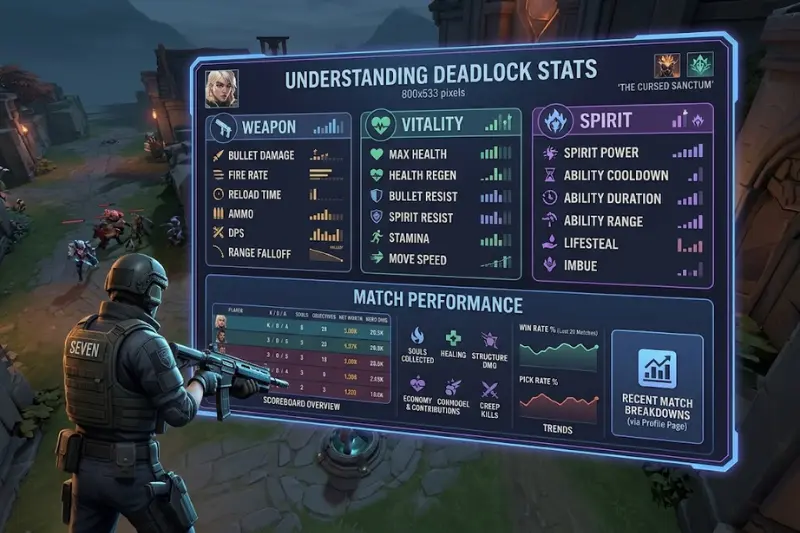
- Deadlock hero stats: win rate, pick rate, kills, deaths, assists, damage and damage taken for every hero.
- Item stats: how often an item is bought and how often it leads to a win.
- Deadlock player stats: your rank, MMR history, KDA and personal win rate.
Deadlock mixes aiming, movement, economy, positioning and teamwork, so a single number never explains a match. Good analysis looks at several metrics together, and it also asks which patch the data comes from.
Deadlock Stats Explained: The Metrics That Matter
| Metric | What it tells you | How to use it |
|---|---|---|
| Win rate | How often a hero wins | Spot strong picks, but check sample size |
| Pick rate | How popular a hero is | High pick plus high win means a genuinely strong hero |
| KDA | Fight performance | Compare only within the same role |
| Damage dealt | Output potential | Find your carries |
| Damage taken | Frontline pressure | Identify real tanks |
| Accuracy | How many shots land | Judge how mechanically demanding a hero is |
| Tier | Combined ranking | Quick draft reference |
Deadlock Win Rate
Trackers calculate win rate by dividing wins by games played. Across all heroes the average is close to 49.77%, and the top hero, Seven, sat around 55.86% in Metabot’s data and about 56% on Tracklock. That makes a 53%+ hero a real advantage, and a 56% hero an outlier.
Deadlock Pick Rate
Pick rate is the games played on a hero divided by total games. A hero with a high pick rate and a high win rate is almost certainly strong. A hero with a high win rate and a tiny pick rate might be a hidden gem, or the number might come from a small group of expert players.
KDA
KDA shows how a hero performs in fights. Carries tend to show more kills and damage, while support-style heroes show more assists. Compare KDA only between similar roles, and remember that high kills with high deaths can still lose games.
Damage and Damage Taken
Damage dealt shows who produces output. Damage taken shows who stands in front and absorbs pressure. Metabot ranks heroes by both numbers, which makes it easy to separate real frontliners from backline damage dealers.
Deadlock Tier List
Tier lists combine win rate and pick rate into a weighted score. Tracklock, for example, grades heroes from S+ down to D this way. Use the tier as a starting point, then check the numbers underneath it.
Best Deadlock Stats Trackers in 2026
You do not need spreadsheets. These community tools do the work for you:
| Tracker | Best for |
|---|---|
| Tracklock | Hero tier list with patch-to-patch win rate and pick rate changes, filters by rank and date range |
| Deadlock Labs | Hero stats, item data, community builds, counters and ranked leaderboards, refreshed every five minutes |
| Metabot | Hero tables sorted by win rate, damage, damage taken and kills |
Most trackers also let you search for a player by name or Steam ID to see MMR history, hero stats, KDA and win rate.
Pro tip: open two trackers side by side. If both show the same trend, trust it. If they disagree, check the rank filter, the date range and the number of matches. Different filters are the most common reason two sites show different numbers.
Why the Patch Matters More Than Anything
The most common mistake is using old data. A win rate from before a balance patch can describe a hero that no longer plays that way. Changes to abilities, cooldowns, damage or items can swing a hero’s performance without any change in how players play.
Valve has kept the game moving all year. The City Never Sleeps update introduced six new heroes, released one by one through October, and Valve has also pushed minor balance patches since then. Every release shifts the meta, so always select the current patch in your tracker. After a big update, wait a few days for enough matches to build up, because the first day’s numbers are noisy.
Deadlock Is Growing, So Stats Are Getting Better
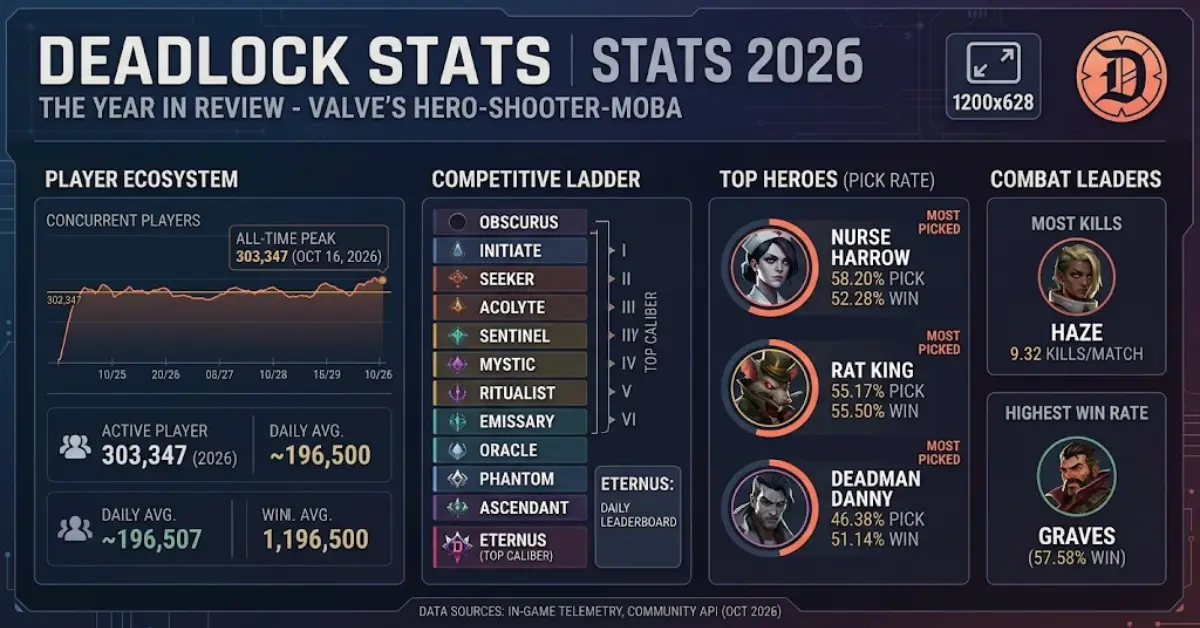
Deadlock set a new peak of 303,347 concurrent Steam players on October 16, 2026, even while access remained invite-only. More players means more matches, and more matches means more accurate stats. It also means a faster-moving meta, so checking your numbers regularly is part of playing well.
How to Read Deadlock Hero Stats Like a Pro
Follow these five steps before every draft:
- Filter by your rank. A hero who dominates the top ranks may struggle in yours, and the reverse is also true.
- Check the sample size. A few hundred games can mislead. Look for heroes with tens of thousands of matches.
- Watch the trend. A rising win rate against the previous patch is a better sign than a falling one.
- Study counters and synergies. Good trackers show which heroes a character struggles against and which teammates boost its win rate.
- Compare with your own record. If you win 60% on a hero the global data calls average, that hero is your best pick.
Hero Roles and What Their Stats Look Like
Raw numbers make more sense when you know what to expect from each play style.
Damage carries. These heroes usually show high damage, high kills and high accuracy. Their win rate depends heavily on farming well and surviving fights, so their numbers rise sharply with skill.
Frontline heroes. Look for high damage taken and high assists. Their kill count may look low, but their job is to start fights and soak pressure, so judge them by win rate and damage taken instead.
Support and utility heroes. Expect lower kills and higher assists. Their value comes from healing, crowd control and setting up kills, so KDA understates their impact.
Burst or assassin heroes. These often show spiky numbers: huge kill games and very poor ones. Pick rate and win rate can differ a lot between low and high ranks.
The takeaway is simple: never judge a hero by KDA alone. Judge it by win rate in your rank bracket, then check whether its role matches what your team needs.
Item Stats and Build Paths
Hero stats tell you who to play. Item stats tell you what to buy. Trackers such as Deadlock Labs show which items have the highest win rates and popularity, broken down by hero, slot and tier, and they show the best build paths and item combinations.
Here is how to use item data well:
- Look at win rate by hero. An item that wins a lot for one hero may be weak for another, because some heroes scale better with certain stats.
- Check purchase timing. Some trackers show pick share and win rate by purchase minute. If an item wins more when bought early, it may be a power spike item worth rushing.
- Do not copy blindly. The most popular build is not always the best one. Compare popularity against win rate and choose the builds that win.
- Adapt to the enemy. If the enemy team is heavy on one damage type, defensive items matter more than the generic build.
Team Comps Counters and Synergies
Deadlock is a team game, so the best hero on paper can still lose in the wrong draft. Good trackers publish pair synergies and counter matrices. Deadlock Labs, for instance, shows how much a hero’s win rate rises or falls when paired with a specific teammate, or when facing a specific enemy in lane. It also tracks six-hero team lineups that have enough matches to be graded.
When you read this data:
- Treat small deltas (around 1%) as slight tendencies, not hard rules.
- Treat large deltas (several percent) as meaningful and worth drafting around.
- Remember that lane counters can be overcome with good play, rotations and items.
Deadlock Stats by Rank
Rank changes everything. In lower ranks, simple, forgiving heroes often perform best because they are easy to play. In higher ranks, mechanically demanding or coordination-heavy heroes can shine. A tracker that lets you filter by rank is worth far more than one that only shows a global average.
If you are climbing, use stats from your current rank and one rank above. That tells you what works where you are and what will work where you are heading.
How to Use Deadlock Stats to Climb Ranked
Data only matters if it changes your habits.
- Build a small hero pool. Two or three strong heroes mastered beat ten heroes played badly.
- Copy winning builds, not popular ones. Item win rates broken down by hero show what actually works.
- Review your deaths. If your deaths are far above your assists, you are over-extending.
- Track your economy. Compare your net worth at key minutes with stronger players to see if you are farming efficiently.
- Follow your MMR history. A falling line means change something before queueing again.
- Re-check after every patch. Your favorite hero may have been nerfed or buffed overnight.
- Review one match per session. Pick a loss, look at the stats, and find the single biggest mistake. One lesson per day adds up fast.
Common Deadlock Stats Mistakes and Myths
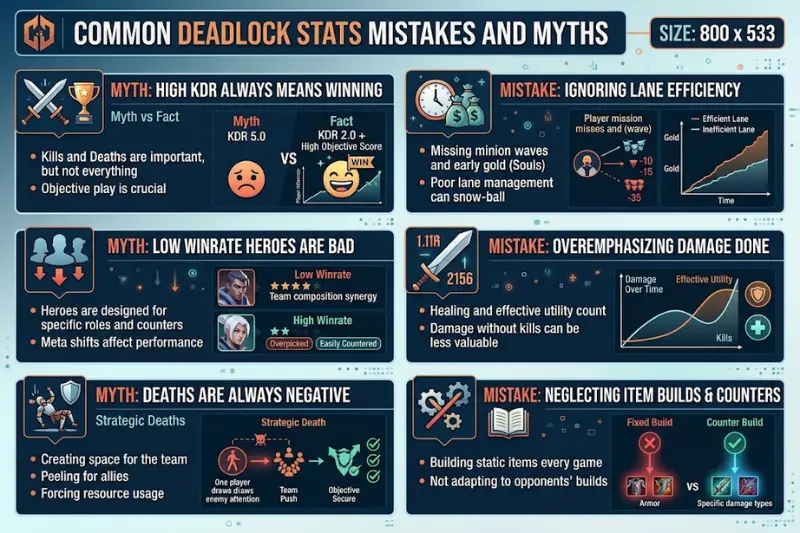
- “The top hero always wins.” A high win rate can come from a small group of skilled players. Check pick rate and rank.
- “Low pick rate means weak.” Some strong heroes are simply unpopular because they are hard to learn.
- “Old stats are fine.” They are not. Always confirm the patch.
- “KDA decides who is best.” Different roles produce different KDAs. Supports and tanks should not be judged like carries.
- “Stats guarantee a win.” They describe probability, not your next match. Skill and teamwork still decide games.
- “One tracker is enough.” Two trackers give you a safety check.
Deadlock Stats Glossary
- MMR: the hidden rating that drives your rank.
- Win rate: wins divided by games played.
- Pick rate: share of games where a hero is played.
- KDA: kills, deaths and assists.
- Tier: a combined grade (S to D) based on win rate and pick rate.
- Delta: the change in a number compared to the previous patch or period.
- Sample size: the number of matches behind a statistic.
- Meta: the set of strategies, heroes and items that work best right now.
Deadlock Stats FAQ
What are Deadlock stats?
Deadlock stats are performance numbers such as win rate, pick rate, KDA, damage and item data. They help players choose heroes, build items and track improvement.
Where can I find Deadlock stats?
Free community trackers like Tracklock, Deadlock Labs and Metabot offer hero tier lists, item stats, builds and player lookups.
What is a good win rate in Deadlock?
The average hero wins about 49.8% of games, so 52 to 53% or higher is strong, and below 47% usually means a struggling hero.
How often are Deadlock stats updated?
Most trackers refresh every few minutes. Treat the numbers as reliable only for the current patch.
Can I check my own Deadlock stats?
Yes. Search by player name or Steam ID on a tracker to see MMR history, hero stats, KDA and win rate.
Why do two trackers show different numbers?
They may use different rank filters, date ranges, patches or data sources. Always compare using the same settings.
Are Deadlock stats accurate?
They are accurate for the data they collect, but they are only as good as the sample size and filters. Large samples on the current patch are the most reliable.
Is Deadlock free to play?
Deadlock is a free-to-play game from Valve, though access has been invite-only during development.
What is the best Deadlock stats tracker?
There is no single winner. Tracklock is strong for tier lists, Deadlock Labs for builds and items, and Metabot for detailed hero tables. Using two is the safest approach.
Final Thoughts
Deadlock stats turn guessing into decisions. Learn the core metrics, trust a tracker that shows the current patch, filter by your own rank, and compare the data with honest reviews of your own matches. Do that every week and your win rate will rise.
Ready to improve? Open a tracker today, pick your top three heroes by win rate in your rank, and review your last ten matches. Small, consistent changes beat random queueing every time.
